
As part of the default Salesforce for LogiSense app, all account invoices in LogiSense will be reflected back to a custom Visualforce page that can be added to the Account object.
Which columns are displayed and their names is customizable from the Invoice Configuration section on the LogiSense Integration tab.
- Navigate to the LogiSense Integration tab
- Click on the Invoice Configuration button
- Select which columns you would like to see in the Visualforce page
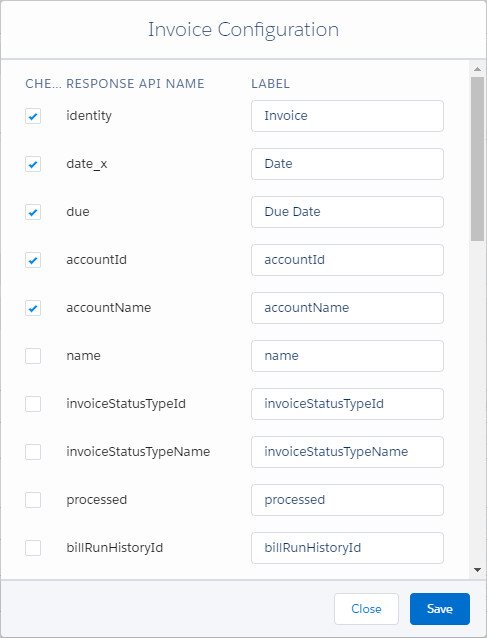
- Optional, rename the Label value
- Click Save
Any changes will take effect immediately across all account layouts that are configured to show the Visualforce page.